


Blog
Atmos Case Study:
Building a React Native Health App for Patients Aged 60 and Over
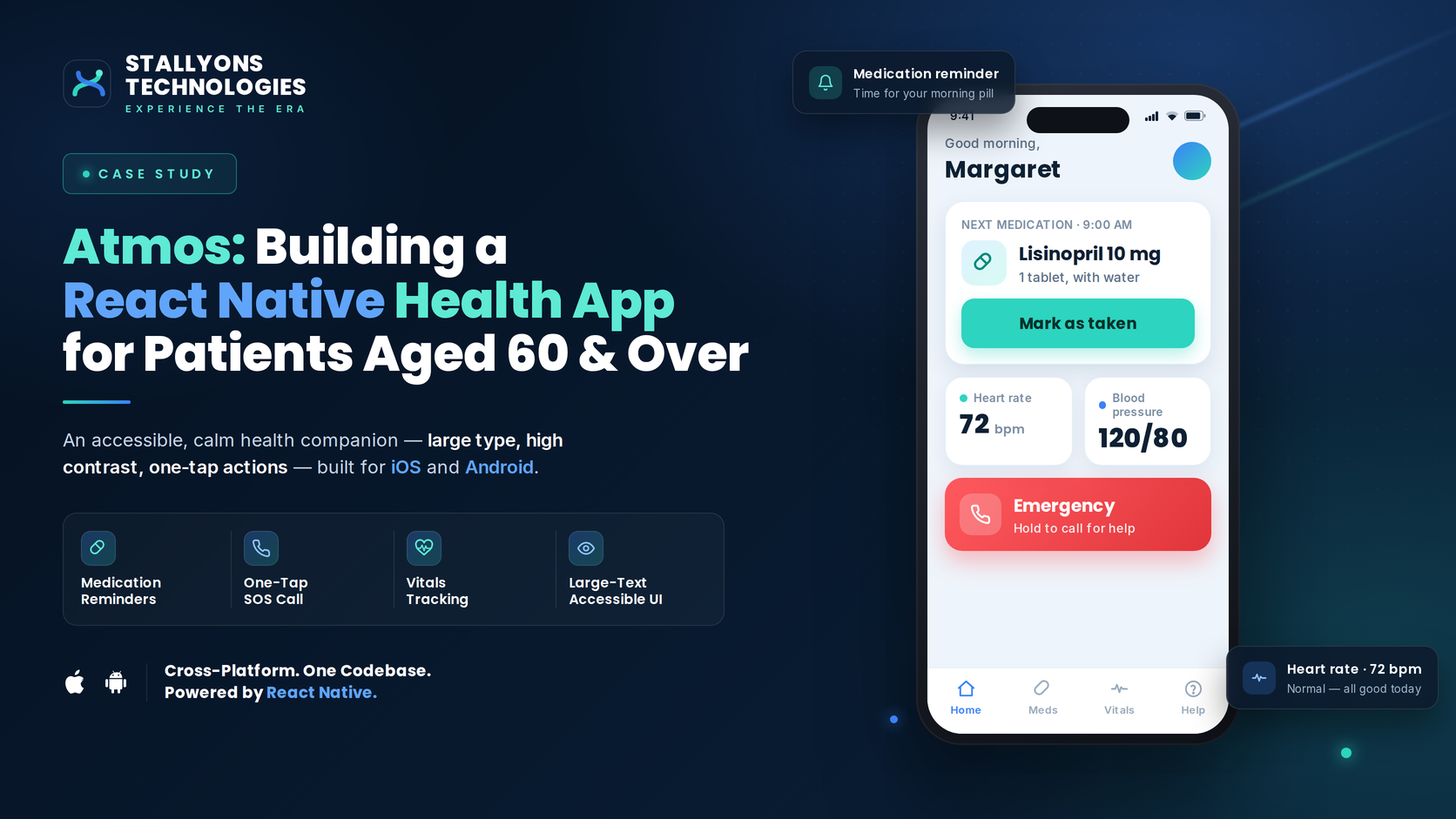
The hardest user in software is not the power user. It is the nervous 60-year-old patient recovering alone at home, holding a phone in one hand and a medical device in the other, worried they will get something wrong. Atmos was designed for exactly that person. It is a mobile health app that lets recovering patients photograph their chest drainage device and send the readings straight to their care team, without a stressful trip back to the clinic.
This case study walks through the problem, the build, and the outcomes. Atmos is a piece of healthcare software development, so its success is measured in care quality, safety, and independence rather than revenue, and this write-up keeps that honest throughout.
The Problem: Monitoring Does Not Stop When the Patient Goes Home
After a chest procedure, a patient goes home with a suction and drainage system, but the doctor still needs regular looks at two things: how the air leak changes over 24 hours, and how much fluid is collecting in the canister. Recovery moves out of the clinic, yet the monitoring cannot. The usual ways of bridging that gap are slow, costly, and stressful.
- Driving a fresh post-surgery patient back and forth for a quick screen check is tiring, expensive, and sometimes risky.
- The patients are the least comfortable with apps. Most are 60 or older, and small buttons, long logins, and busy screens can be the reason a patient gives up entirely.
- Readings are easy to get wrong over the phone. Asking a patient to describe an air-leak graph or read a fluid level out loud invites mistakes. The doctor needs to see the real screen and the real canister.
- Health data moving between a home and a clinic has to be protected, so no personal details are exposed if the data is ever seen by the wrong person.
- Patients do not know what is normal. A new warning light is frightening when you are recovering alone, and people need plain answers about what to do next.
The real challenge was never the screens. It was closing the monitoring gap for a frail, anxious user without adding friction or risk.
The Solution: Two Photos, Sent Safely
Atmos keeps the patient’s job small. Open the app, take two photos, and send. Everything else happens in the background, including security, routing, hiding personal details, and alerts.
Clinic staff set everything up. An admin creates each patient record with a unique ID and password, and the app stores it so the patient never types it again. The admin also grants doctors access to the portal. No patient signs up on their own, and no personal details are entered anywhere.
At check-in, the app guides the patient through two photos. The first is a front photo of the device screen, showing the 24-hour air-leak bar graph and the current air leak. The second is a back photo of the canister, showing the fluid level against the millilitre marks. On-screen framing helps make sure both readings are clear. One tap sends them to the doctor’s portal.
On the other side, the doctor opens the portal and sees the photos under an anonymous ID only. They read the 24-hour graph to confirm the air leak is going down, and they check the canister to confirm the fluid is not rising. If they need to talk, they call. If the patient needs to come in, the doctor sends a clear “Visit the doctor” warning, and the patient can reply to confirm they saw it.
| Patient journey | Doctor and clinic journey |
|---|---|
| Open the app, already logged in with a stored ID | Admin grants patient and doctor access with unique IDs |
| Follow the guided two-photo capture | Receive the photos under an anonymous ID only |
| Front photo: device screen, 24-hour graph and air leak | Read the 24-hour air-leak trend |
| Back photo: canister fluid level in millilitres | Confirm fluid is not rising and the canister is not full |
| Send both photos in one tap | Call the patient if a conversation is needed |
| Receive a “Visit the doctor” warning if flagged | Send a visit warning when there is an issue |
| Reply to confirm the warning was seen | Decide: keep watching, call, or remove the chest tube |
There is an honest limit worth naming. The whole model rests on the patient capturing two usable photos, the device screen and the canister, clearly enough for a doctor to read a graph and a fluid level from them. The on-screen framing guides help, but a frail or anxious 60-plus patient can still send a blurry or badly angled shot, and a misread photo in a health setting is not a small thing. That is why the capture flow is guided rather than freeform, and why keeping it simple is a clinical decision as much as a design one.
Built for the Hardest User First: Designing for Patients Aged 60 and Over
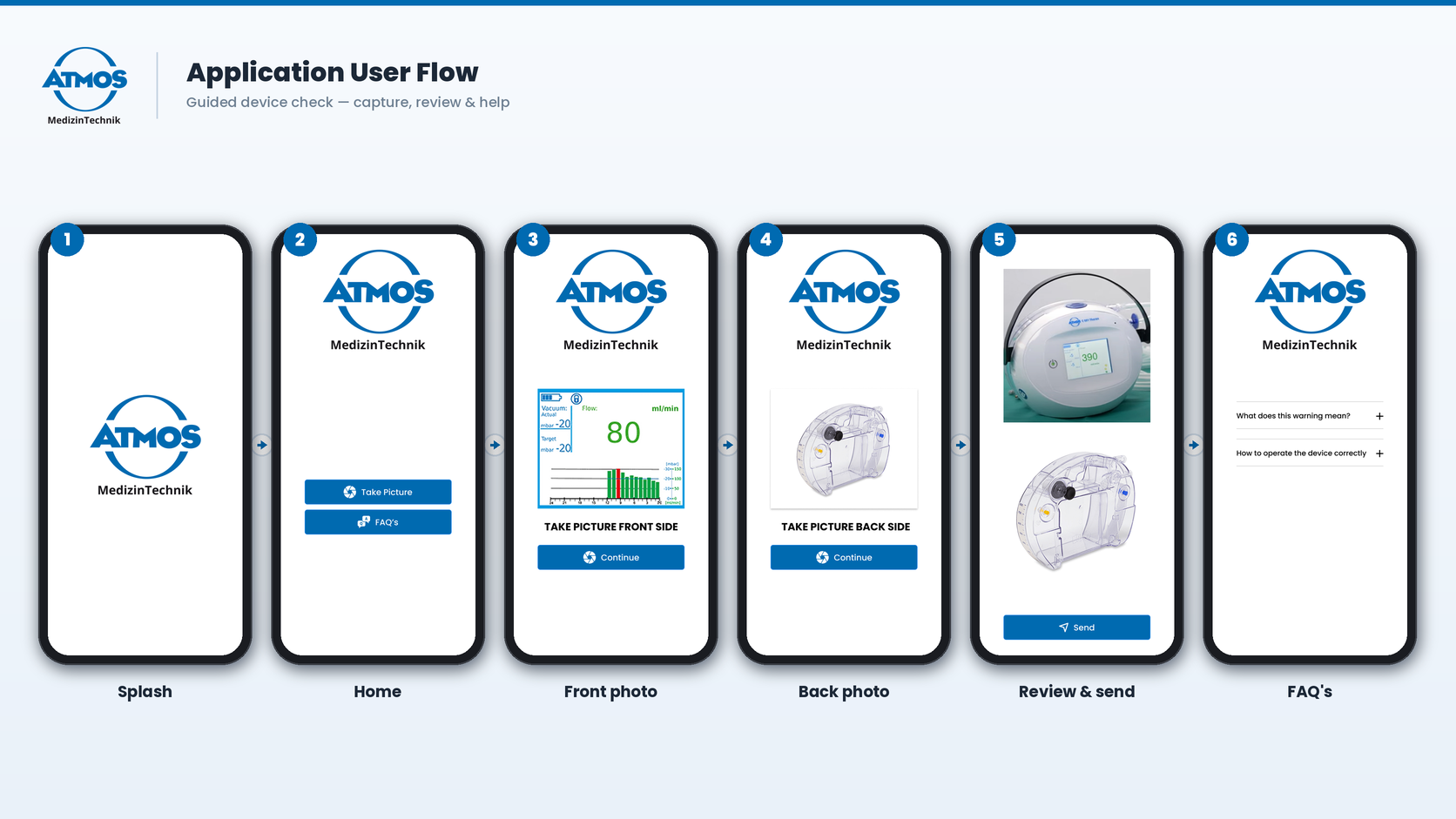
Accessibility in Atmos is not a setting buried in a menu. It is the default. The app uses large fonts, high contrast, big tap targets, and a flow short enough to finish in a few taps, the kind of accessibility-first UX for older users that follows patterns already proven in apps built for this group. The goal is simple: the patient succeeds on the first try, on their own, without a relative on the phone helping them.
The single most common point of failure for an older user is typing a username and password on every visit. Atmos removes it. The admin-issued login is stored safely on the device, so opening the app is the whole login step. Access is still fully controlled, since only the clinic can grant or revoke it, but the patient never has to remember or type anything. Building this well is what an experienced mobile team brings to a project, because the difficulty is not the feature list, it is the discipline to cut everything that could make a frightened user give up.
Anonymous by Design: Privacy and Security in a Health App
Patient records hold only a unique ID. There is no name, no contact details, and nothing that points to a real person. Data travels with encryption, and even if a record were seen by the wrong person, it could not be linked back to anyone. Privacy is not bolted on at the end. It is built into how records are created from the very first step.
The safety signal is just as deliberate. When a doctor flags an issue, a plain “Visit the doctor” warning appears in the app and is pushed as a notification. The patient replies to confirm they saw it, which closes the loop so the care team knows the message landed. Paired with an in-app library of short help videos and plain-language answers, a worried patient at home always has both an answer and a clear next step.
The Technical Architecture Behind Atmos
Atmos is a React Native app for iOS, backed by a light and secure server. The hard part is moving medical photos from a patient’s home to the correct doctor, safely and without names attached, in a flow simple enough for an older user to finish alone. Every choice below serves that goal.
The stack is deliberately lean. The app is a React Native build for iOS, a single accessible codebase that iterates fast for a small team. Behind it sits a light, secure app server that handles login, request routing, and core logic with few moving parts, backed by a relational database that reliably links anonymous IDs, photo submissions, and doctor assignments. Login uses admin-issued credentials, stored on the device so opening the app is the whole login step. The capture flow uses the native camera and media for guided photos and compresses each one for a fast upload. Photos are kept in encrypted cloud storage and opened only by the assigned doctor, and everything travels over HTTPS with TLS encryption, so data and images are protected in transit as well as at rest. Push notifications carry visit warnings, reminders, and device tips to the patient.
Four subsystems carry the product. Guided photo capture walks the patient through the front and back photos so the graph, the air leak, and the fluid marks read clearly. Secure routing attaches only the unique ID to each submission and sends it to the assigned doctor. The doctor portal lets clinicians review trends and send warnings. The two-way warning loop pushes each alert and records the patient’s reply. This is the level of care that separates custom React Native work from a simple photo-upload form.
The Core Workflows
Three short flows make up the product. Onboarding is handled entirely by the clinic: an admin creates a patient record with a unique ID, the login is stored in the app, and the right doctor is assigned. Patient check-in is the two-photo capture and a single send. Doctor review is a portal read of the air-leak trend and the canister level, followed by a call or a visit warning. When the air leak stays low long enough, the patient comes in to have the chest tube removed.
Impact and Outcomes, Measured in Care, Not Revenue
Atmos is a tool that supports care, so its value shows up in safety and reach rather than a revenue line. The product is built to deliver a clear set of outcomes.
- Fewer needless clinic trips. Routine checks move home, and the patient comes in only when the trend or the fluid level calls for it.
- Faster doctor response. Doctors see real readings instead of phone descriptions, so they can act sooner.
- Confident, independent patients. A simple flow and help videos let a 60-plus patient finish a check-in alone, without stress.
- Privacy kept end to end. Anonymous IDs and encryption protect health data even if it is seen or sent to the wrong place.
- A closed safety loop. Visit warnings reach the patient clearly and are confirmed back, so nothing is missed.
What This Means When You Want to Hire a React Native Team
Atmos shows the difference between a team that ships features and a partner that understands who the app is really for. A sensitive, accessible, privacy-first product is a high-trust build, and it rewards experience. If you plan to hire React Native developers for work like this, look for a team that designs for the hardest user first, treats privacy as a starting point rather than a patch, and keeps the architecture as small and secure as the job allows.
For a healthcare or accessibility-first product, that experience is exactly what an established React Native app development partner like Stallyons brings to the table. We built Atmos around vulnerable users and protected data, and we bring the same care to every cross-platform project. You can see that range in another product we shipped end to end, KickBackChef, a real-time React Native marketplace, where the same discipline was pointed at speed and payments instead of privacy and accessibility.
Frequently Asked Questions
Can React Native handle a privacy-first health app?
Yes. Atmos moves encrypted medical photos, uses anonymous IDs with no personal details, and secures data in transit and at rest, all behind a React Native front end and a lean secure server.
Is React Native suitable for older, non-technical users?
Very much so. React Native supports large fonts, high contrast, big tap targets, and native camera flows, which are exactly the tools an accessible app for patients aged 60 and over depends on.
How long does a health app like Atmos take to build?
A focused first version usually takes a few months, depending on the feature set. A privacy-first flow with guided capture, a doctor portal, and a two-way warning loop needs careful planning, but a single React Native codebase keeps the timeline efficient.
Why build for iOS first, and can it extend to Android?
Atmos launched on iOS to serve its first patient group well, and because React Native is cross-platform, the same codebase can be extended to Android without starting over.
Can Stallyons build a health app like this for us?
Yes. Stallyons delivers full React Native app development, from product strategy and accessible design to secure backend, encrypted storage, and launch, for healthcare and other sensitive products.
Start Your React Native Health App With Stallyons
Atmos proves a simple point. When you design for the hardest user and build privacy in from the first record, you get a product that people can actually trust with their health. If you are planning a healthcare, accessibility-first, or data-sensitive product, our React Native app development services can turn the idea into a safe, simple, and dependable app. The best first step is a short discovery call, so we can understand your users before anyone writes a line of code.