


Blog
City Lending Centers
Android WebView App
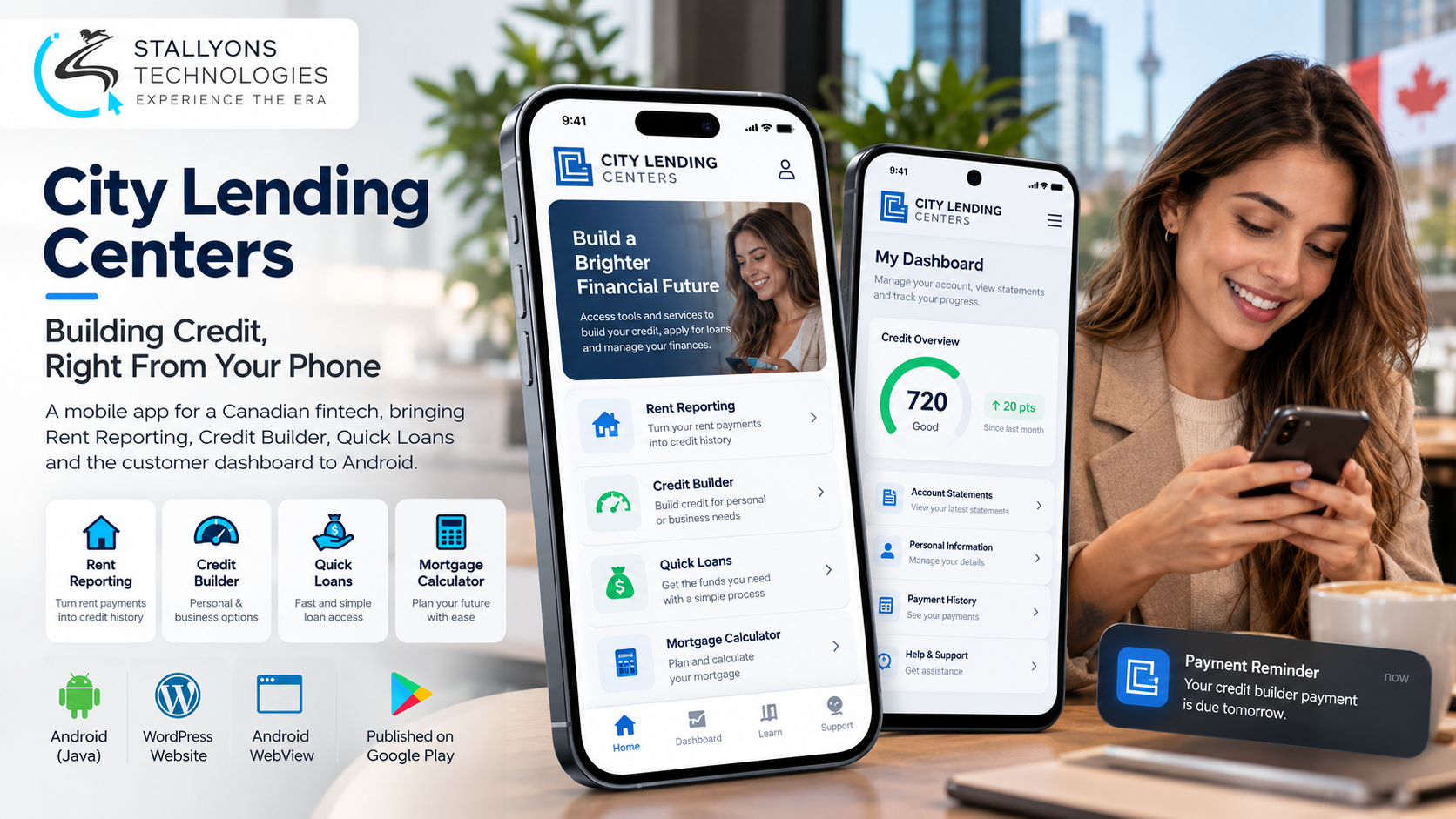
Most of City Lending Centers’ customers run their money from a phone, yet the only way to reach the company’s credit tools was to open a browser and scroll through pages laid out for a desktop. Competitors in the credit-building space already sat on Google Play. City Lending Centers, a Canadian financial-services company, wanted to be there too, fast and on a small budget, without rebuilding what already worked on its website.
City Lending Centers (CLC) helps people build good credit. Its services include Rent Reporting, which turns on-time rent payments into credit history, a Credit Builder for personal and business customers, Quick Loans, and a mortgage calculator, all managed through a customer dashboard on citylending.ca. The brief was to bring those tools to Android while keeping one place where the content lives.
Put simply, we built a native Android app in Java that wraps a focused, mobile-friendly view of the CLC website, hides the sections customers do not need on a phone, and cleans up the ones they do. The website stays the single source of content, so when CLC edits a page in WordPress, the app shows the change at once, with no new store release and no second system to maintain. The app went through Google Play’s strict review for lending apps, was published under CLC’s own developer account, and is live.
The Starting Point: An App on Google Play Without a Rebuild
For a WebView app to be worth more than a bookmark, it has to feel like a real app and clear a review written for financial products. That set a clear list of requirements, and every one of them had to hold while another team kept working on the live website.
- Get onto Google Play. Customers could not download CLC at all, which made a young fintech look less established than rivals that already had apps.
- Fit the content to a small screen. The full site had many sections. On mobile, customers needed the core services and a way to log in to their dashboard, not everything at once.
- Keep the cost and timeline small. A fully custom native build would run for months and cost many times what CLC wanted to spend at this stage.
- Pass financial-services review. Google Play checks lending apps closely and expects clear loan terms, costs, and disclosures before an app goes live.
- Change the live site safely. Another developer was working on the website at the same time, so edits had to be front-end only and made in agreed windows, with no effect on desktop visitors.
The Build: One Website, Two Places It Shows
The app opens on a branded CLC splash screen and lands on the home page. From there a customer can open Rent Reporting, Credit Builder, Quick Loans, or the mortgage calculator, or log in to the dashboard to see statements and personal details. Wrapping a live site in a shell that still reads like a real app, with the right sections shown in the right order, is the core of the native Android app development here. A session runs in a clear order:
- The customer downloads CLC from Google Play and opens it to the branded splash screen.
- The app loads the mobile view of the website inside a native WebView and shows the home page.
- Mobile-only styles hide the sections that do not belong on a phone and reshape the ones that stay.
- The customer opens Rent Reporting, Credit Builder, Quick Loans, or the mortgage calculator.
- Logging in reaches the existing customer dashboard for statements and profile details.
- Any later edit CLC makes on the website appears in the app the next time the page loads.
The page-by-page work is what separates this from a site squeezed onto a phone. Credit Builder tables were aligned, colours were adjusted for readability, business-page text was reflowed, empty images were removed, and the payment comparisons were placed side by side. Desktop visitors to citylending.ca saw no difference at all.
Technical Architecture
The app is a thin, reliable native shell around a live website. The hard part was never the code inside the app. It was shaping an existing WordPress site into a clean mobile view without breaking anything for desktop users, then meeting Google Play’s rules for lending. Each layer does one job.
- Android shell. A native Java app built with the Android SDK gives a light, fast shell and a branded splash screen.
- WebView. An Android WebView shows the live website inside the app, so customers get the real content with a native feel.
- WordPress source. The site stays the only place content lives, which rules out a second copy drifting out of date on rates or terms. Shaping that site for the phone was careful web development on the live WordPress install, done with mobile-only CSS.
- Customer dashboard. The existing PHP dashboard handles login, statements, and profile, reached straight from the app.
- Builds and release. Android Studio and Gradle produced test APKs for review and a signed AAB for release.
- Distribution. Google Play Console published the app under CLC’s own account, with content rating, data safety, and a demo login prepared for review.
The choice worth defending was the WebView route itself. Because CLC wanted the same content as its website and only needed to hide a few sections, a shell cost a fraction of a custom build, was ready for review in days rather than months, and left room to add native features later.
Challenges Solved
The first reviews from Google Play focused on the Quick Loans content. Lending apps must show the minimum and maximum repayment period, the maximum APR, and a representative example of total cost. A dedicated loan disclosure page was added and linked from the Quick Loans pages, the store listing was refocused on the customer dashboard, and Google’s questions were answered in full until the app was approved. That discipline is what any team building fintech products runs into: the hardest part of shipping is often the policy review, not the feature.
Two other problems needed care. The website was live and shared with another developer, so every change was limited to mobile-only styling and made in agreed time windows, and nothing ever clashed with the other team’s work. The client also did not always have an Android phone to hand, so each build was shown on a cloud emulator in the browser with a short guide, which let her review every change from a desktop. Account access was handled the same careful way: the app was published under CLC’s own Google Play account, and a fresh upload key was requested through Google so the business could keep updating the app safely.
The Result
The outcome is an app that is live on Google Play under CLC’s own business account, approved after its listing was repositioned around the customer dashboard and the financial-services questions were answered in full. Customers download the brand in one tap instead of hunting for the website, open the core services on a screen that was tuned for a phone, and log in to the same dashboard they already use. Because the app reads the live site, a change CLC makes in WordPress reaches app users the moment it is saved, which kept the app accurate through every edit to loan terms during review.
The build works because it was scoped to the stage the business was at: a focused shell now, native features later, with zero cost to ship a content update. If you are planning an app like this, you can hire Android developers who have taken a WebView app through financial-services review, or tell us what your website already does and we will map it to a focused Android app your customers can download.
Frequently Asked Questions
What kind of app did City Lending Centers get?
A native Android app in Java that wraps a focused, mobile-friendly view of the CLC website inside an Android WebView. It shows the home page, Rent Reporting, Credit Builder, Quick Loans, the mortgage calculator, and login to the customer dashboard, with other sections hidden on mobile.
Why a WebView app instead of a fully custom Android app development company build?
CLC wanted the same content as its website, only needed to hide a few sections, and had a small budget and timeline. A WebView shell cost a fraction of a custom build, was ready for review in days rather than months, and left room to add native features later once the business was ready.
How does the app stay up to date?
The website is the single source of content. When CLC edits a page in WordPress, the app shows the change the next time the page loads, with no new build and no store review. That also means loan terms and disclosures can never drift out of date between the site and the app.
How did the app pass Google Play’s review for lending apps?
A dedicated loan disclosure page was added and linked from Quick Loans, covering repayment terms, maximum APR, and a representative cost example. The store listing was refocused on the customer dashboard, and Google’s financial-services questions were answered in full until the app was approved.
Who owns the app and the Google Play listing?
City Lending Centers does. The app was published under CLC’s own Google Play developer account and business name, and a fresh Android upload key was requested through Google so the company can keep updating its app safely and independently.