


Blog
Pantry Connection: A
WooCommerce Multi-Vendor Marketplace
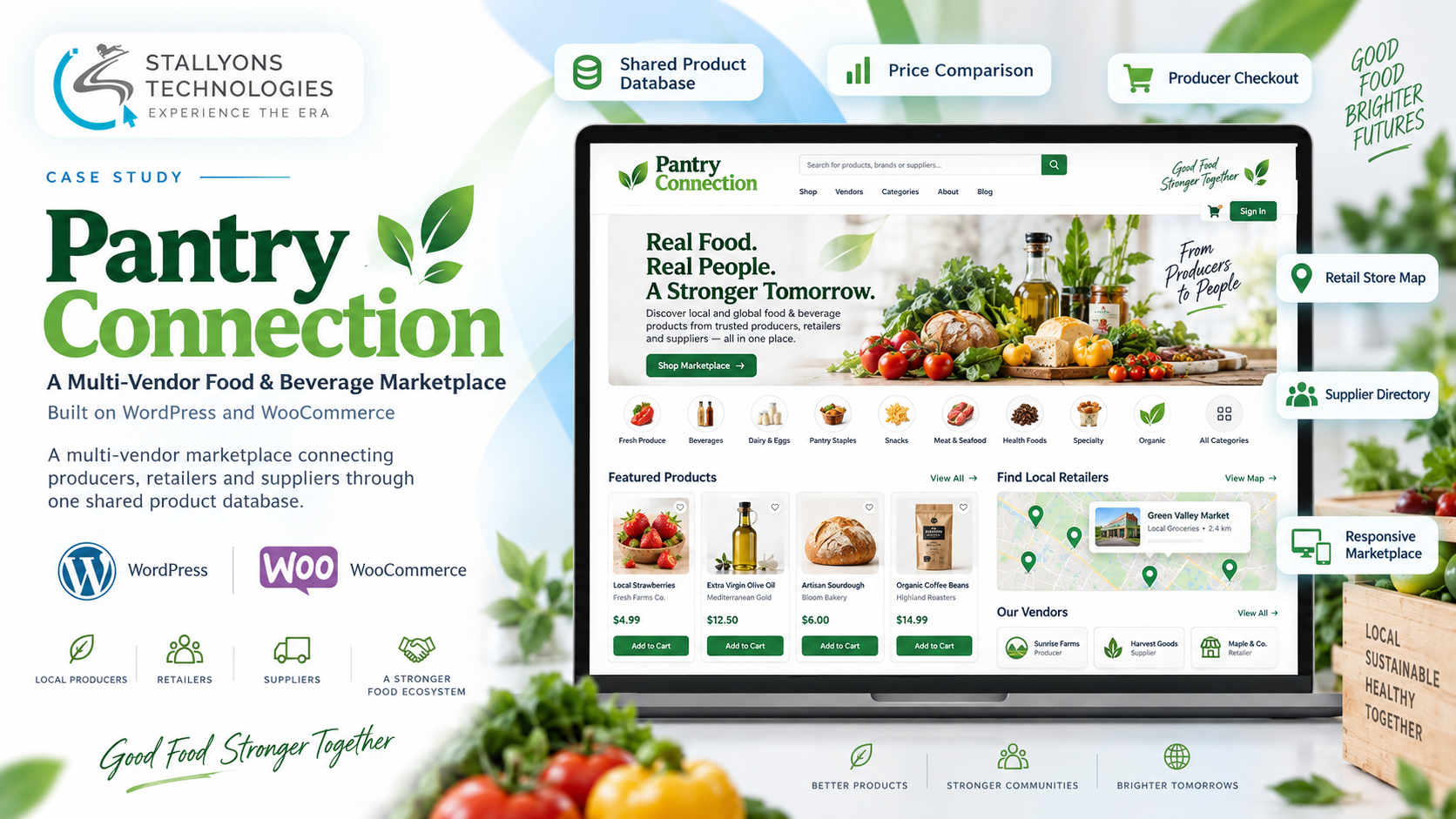
A shopper looking for organic olive oil opens one product page and sees the same bottle offered three different ways: a producer selling it online at one price, a local retailer stocking it at another with a store to visit, and a wholesaler listing a case price with a minimum order and a link to buy elsewhere. One product, three kinds of seller, three ways to act on it. That comparison is the whole point of the platform.
Pantry Connection is a multi-vendor food and beverage marketplace built on WordPress and WooCommerce. It connects three kinds of vendor, Producers, Retailers and Suppliers, around one centralized, shared product database, so the same product can appear from different vendors at different prices. The platform is about discovery, local price comparison and supplier visibility rather than pushing every vendor through online checkout.
Put simply, one shared product powers many vendor offers, and only the vendors that should transact online actually do. Producers sell with full checkout through Stripe, retailers appear in comparisons and on a map for shoppers to visit in person, and suppliers list wholesale pricing and link out to their own ordering system for B2B buyers.
The Starting Point: One Product, Many Vendors, Three Behaviors
A marketplace that serves producers, retailers and wholesalers at once, around shared products, is more complex than a normal store, because each vendor type behaves differently and only some of them transact online. A standard one-seller-per-product store cannot express any of it. The MVP had to hold several requirements together:
- One product, many vendors and prices. The same product needs to appear from different vendors at different prices so customers can compare, which a normal store does not do.
- Three vendor types, three behaviors. Producers sell online with checkout, retailers sell offline and appear only in comparisons and on the map, and suppliers do not transact and link out to an external system.
- Checkout for some, not others. Only producers need a cart and online payment, so checkout has to be enabled for producer products and kept off retailer and supplier listings.
- Discovery over transactions. The point is discovery, price comparison and supplier visibility, so filtering, comparison, niches and maps matter as much as ordering.
- Roles and moderation. Vendors register, get approved and are moderated, and admins need control over categories, niches, ads, maps and content across the platform.
- Themed storefronts and ads. The catalog needs theme-based niche storefronts and a banner-ad system with admin approval, on top of the core marketplace.
The Build: One Shared Product, Three Vendor Models
Pantry Connection is built on WordPress and WooCommerce with a multi-vendor layer, extended so that one shared product database powers vendor listings and price comparison. Products are created once and shared, so producers, retailers and suppliers can each offer the same product at their own price, and customers compare those offers by price, location and delivery type. This kind of shared-catalogue marketplace is exactly where WooCommerce development earns its keep, extending the core platform well past a single-seller store.
Each vendor type gets a dashboard suited to how it works, and checkout is enabled only where it belongs. For a producer sale, the flow is a normal ordered checkout:
- The customer adds a producer’s product to the cart, since only producer products carry a cart and price.
- They enter address details and pay through Stripe at checkout.
- The order is confirmed on screen and by email, and the producer receives it to fulfil.
- Order status is tracked through pending, shipped and delivered so both sides can follow it.
Retailer listings show pricing and a store to visit, and supplier listings show wholesale pricing, a minimum order quantity and an Order Now link to an external system such as Bidfood or Ordermentum. Because the marketplace behaves like a full application with vendor dashboards, comparison views and maps rather than a simple catalogue, it sits closer to web application development than a standard storefront.
Technical Architecture
This is a multi-vendor marketplace built on WooCommerce, so the architecture centres on a shared product database that many vendors list against, role-specific vendor behavior, checkout for producers only, and a set of discovery features. A few subsystems carry most of the weight.
- Shared product database. Products live once in a central database and are offered by multiple vendors, so a single product page shows several vendors and prices for customers to compare by price, location and delivery.
- Vendor roles and dashboards. Producers, retailers and suppliers each register, are approved by an admin, and get a dashboard suited to their model: product creation and orders for producers, pricing and stock for retailers, and catalog and external links for suppliers.
- Producer checkout. Checkout is enabled only for producer products, using WooCommerce with Stripe, covering the cart, address, payment, confirmation and email, and status tracking through pending, shipped and delivered.
- Niches, filters and comparison. Admin-defined theme-based storefronts such as Vegan Pantry and Organic Picks act as filtered product views, customers filter by diet, ingredient, category and origin, and a comparison view shows the same product across vendors.
- Maps and supplier directory. Vendor and store locations appear on a map with location and proximity filters, and the supplier directory lists price per unit, MOQ, delivery and an external Order Now link per supplier.
- Ads, brand pages and admin. Vendors upload banner ads that admins approve and schedule into predefined slots, producers build brand story pages, and admins manage vendors, catalog, niches, ads, maps and CMS pages.
A platform that has to launch as an MVP, prove the shared-product model, and grow vendor by vendor is the kind of build that fits marketplace and SaaS startups testing a two-sided model before scaling it out.
Challenges Solved
The central problem was showing one product from many vendors. A shared product database lets the same item carry several vendor offers and prices, which is what makes real price comparison possible instead of duplicating the product for every vendor. On top of that, three vendor behaviors had to coexist cleanly: producers selling online with checkout, retailers selling offline and appearing in comparisons and on the map, and suppliers linking out to external ordering, each with a fitting dashboard and listing behavior.
Keeping checkout only where it belongs mattered just as much. Cart and Stripe payment are enabled for producer products and kept off retailer and supplier listings, so the MVP transacts exactly where it should and nowhere it should not. Discovery was treated as a first-class feature rather than an afterthought, with niche storefronts, filters, comparison, maps, wishlist and brand pages built as core, and admins were given full oversight through vendor approval and moderation, category and niche management, ad scheduling, map control and CMS pages.
The Result
The marketplace serves three vendor types and their customers from one platform. Shoppers compare the same product across producers, retailers and suppliers, buy directly from producers, find local retailers on a map to visit in person, and reach wholesalers through external ordering links. Each vendor sells on its own terms, only producers carry the cost and complexity of online payment, and admins keep control of the catalog, niches, ads and content across the whole platform. Discovery, comparison and visibility are built in, not bolted on.
If you are planning a multi-vendor marketplace where different sellers behave differently around shared products, you can hire WooCommerce developers who have built exactly this shared-product, multi-role model, or tell us about your vendors and we will map each type to the right dashboard, checkout rules and discovery features.
Frequently Asked Questions
Can WooCommerce run a multi-vendor marketplace with shared products?
Yes. With a multi-vendor layer and a shared product database, one product can be created once and offered by many vendors at different prices. That is what lets a single product page show several vendors for customers to compare, rather than duplicating the item for every seller.
How can the same product show different prices from different vendors?
The product lives once in a central shared database, and each vendor attaches their own price, stock and delivery to it. Producers, retailers and suppliers can all list against the same product, so a comparison view shows every offer side by side by price, location and delivery type.
Can checkout be enabled for only some vendors?
Yes. Here checkout is turned on for producer products only, using WooCommerce with Stripe, while retailer and supplier listings are display-and-compare only. Retailers drive in-store visits and suppliers link out to external ordering, so the platform transacts exactly where it should.
How do the three vendor types differ on the platform?
Producers sell online with a cart and checkout, retailers sell offline and appear in price comparisons and on a map for customers to visit, and suppliers list wholesale pricing and minimum order quantities with an external Order Now link. Each gets a dashboard and listing behavior suited to how it actually sells.
What discovery features does the marketplace include?
Theme-based niche storefronts such as Vegan Pantry and Organic Picks, filtering by diet, ingredient, category and origin, side-by-side vendor comparison, a map with proximity filters, a wishlist, and producer brand pages, all treated as core features because discovery and comparison are the point of the platform.