


Blog
AutoPress Case Study:
A Chrome Extension That Runs an AI Content Pipeline
A content site is only ever as alive as its last post. Let a week go quiet and the rankings soften, the traffic drifts, and the whole thing starts to feel abandoned. So the work never stops. Find something worth covering, rewrite it so it is genuinely yours, format it, add the media, publish it, then wake up the next day and do it all again. It is a treadmill, and most site owners cannot step off without the site paying for it.
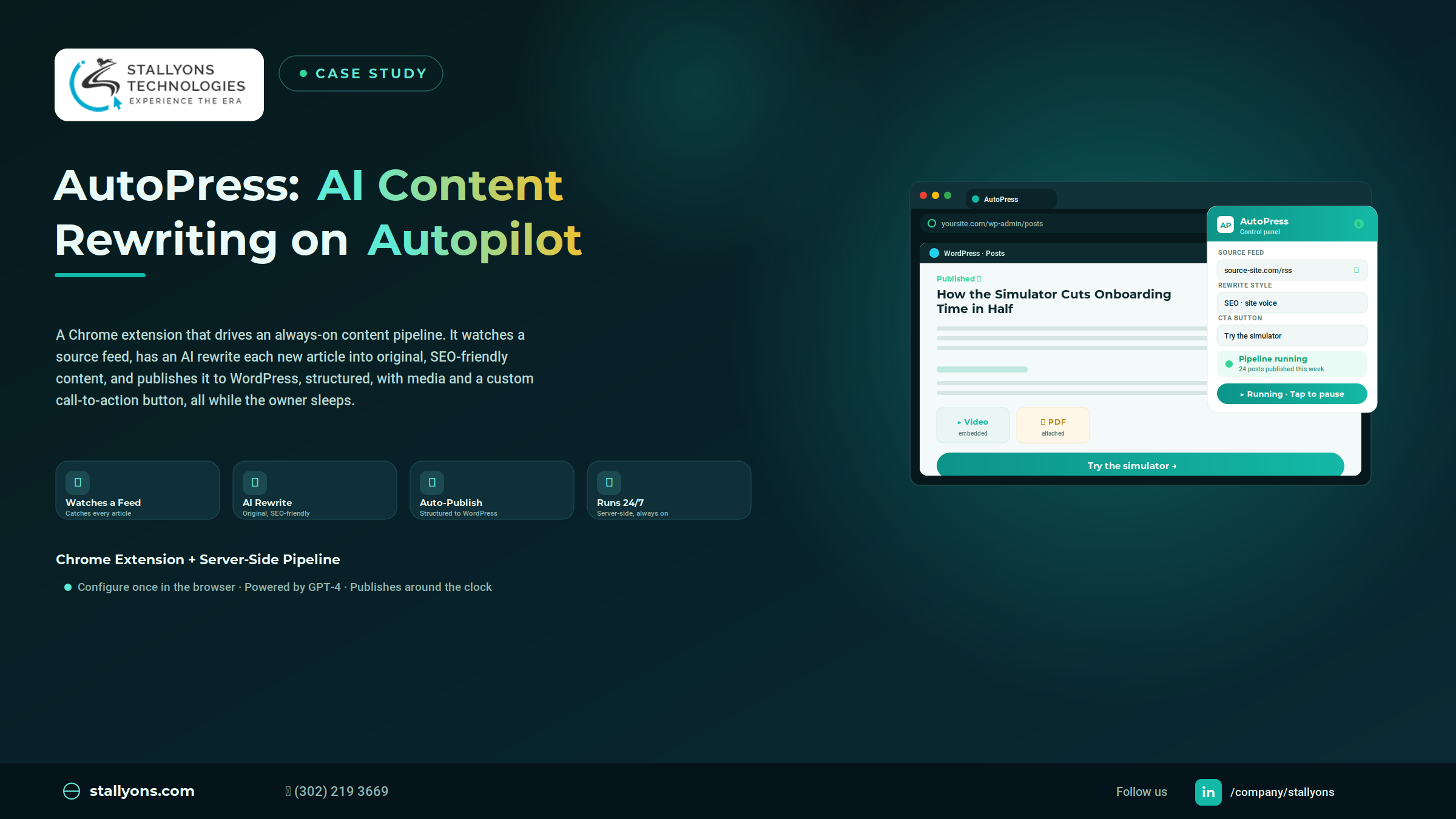
AutoPress was our answer to that treadmill. Our team at Stallyons built a Chrome extension that steers an always-on content pipeline: it watches a source feed, hands each new article to an AI to rewrite into original, search-friendly content, and publishes the finished piece to WordPress, complete with structure, media, and a custom call-to-action button. The owner sets it up once from the browser. After that, the machine keeps working, including while they sleep.
Set the source, the rewrite style, and the button once in the extension. From then on, every new source article is rewritten by AI and published to WordPress automatically, structured and complete.
The Content Treadmill Nobody Can Step Off
Keeping a site fresh is not really a creativity problem. It is a labor problem, and the labor is relentless.
A site needs a steady stream of new articles, and producing them by hand, day after day, swallows enormous time. Straight copying is not a shortcut either, because reposting a source article word for word is not original and is bad for search ranking, so each piece genuinely needs rewriting. Rewriting well takes focus every single time, reading the source and reshaping it into something that reads cleanly and performs in search. Even once the words exist, formatting eats more hours, since every article needs proper headings, paragraphs, a call-to-action, and any PDFs or videos folded in. And the timing is merciless. Source articles appear at any hour, so catching and publishing only during the working day means missing fresh content while the rest of the world keeps posting.
Put together, it is a job that never sleeps. Which is exactly why the solution could not sleep either.
What AutoPress Actually Does
AutoPress turns that entire routine into an automatic pipeline, set up and steered from a Chrome extension. The owner configures it once, and the workflow keeps the site fed with fresh, rewritten articles.
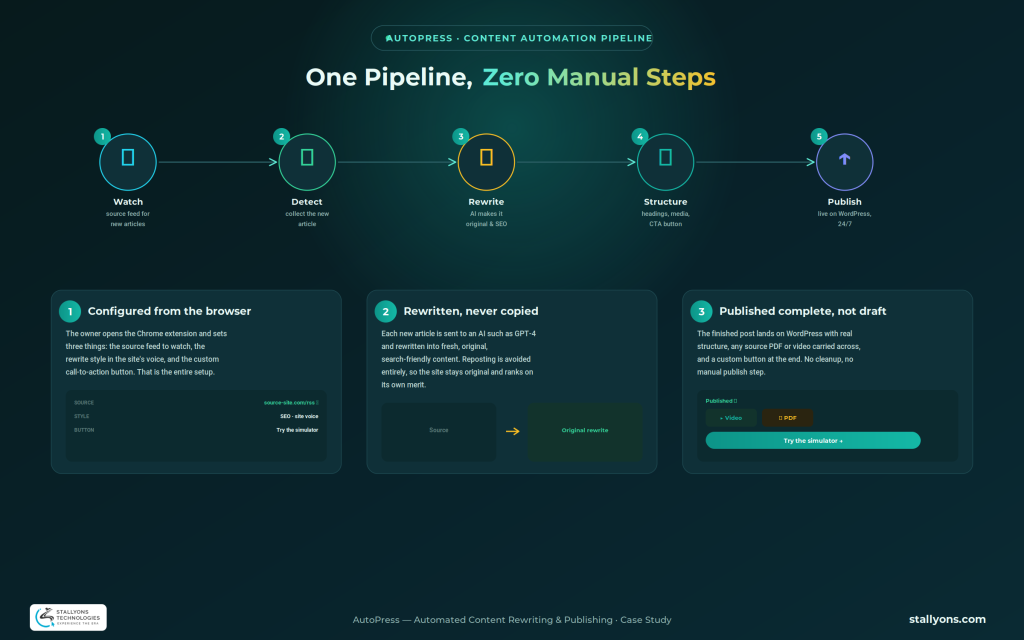
From the extension, the owner sets three things: the source feed to watch, the way articles should be rewritten, and the custom button to add at the end of each post, such as a “Try the simulator” button linking wherever they choose. That is the whole setup. Once it is running, the pipeline watches the source feed, detects each new article, and runs it through a compact generative AI content pipeline, where a model such as GPT-4 rewrites the piece in its own words, structures the result with real headings and paragraphs, carries across any PDF or video from the source, adds the custom button, and publishes the finished article to WordPress. The owner does not touch a thing.
Two Halves That Make It Work: Browser Control, Server Muscle
The cleverest decision in this project was recognizing that a Chrome extension is a wonderful control panel and a poor engine. A browser tool is perfect for setup and monitoring, but it cannot run around the clock on its own, because it lives and dies with the browser window. So AutoPress was split into two halves that each do what they are best at.
The Chrome extension is the control panel, where the owner sets the source, the rewrite style, and the button, and watches what has published. The continuous, always-on work, watching the feed and publishing to WordPress, runs server-side, where it keeps going at every hour. This division is the heart of the build, and it is the kind of thoughtful scoping that defines our Chrome extension development: put the controls where they are easy to reach, and put the heavy lifting where it can run reliably. It is the same care we brought to our Agent CRM Chrome extension, just aimed at a very different kind of workflow.
The Control Panel: Simple by Design
For all the machinery behind it, what the owner actually touches is small. Three settings and a live view of what has gone out. The complexity stays hidden on purpose, because a tool that is hard to run is a tool that gets abandoned.
The Engine Room: Always-On and Autonomous
Behind the panel, server-side scheduling watches the source feed and publishes at any hour. A new article that appears at two in the morning is caught, rewritten, and posted without anyone lifting a finger. That is what turns a helpful assistant into a genuine hands-off pipeline.
How a Single Article Travels the Pipeline
It helps to follow one article all the way through. The pipeline is watching the source feed, and the moment a new piece is published, it picks it up and collects the content. That article is sent to the AI along with the owner’s rewrite instructions, and the AI returns a fresh version in its own words, written to read well and to perform in search. The rewrite is then built into a proper structure, with headings and paragraphs rather than a wall of text. If the source carried a PDF or a video, those are brought across so nothing useful is lost. A custom call-to-action button is added at the end. Finally, the finished post is handled by the WordPress publishing step and goes live automatically, complete, with no manual step in between. What began as someone else’s article an hour ago is now an original, well-formed post on the owner’s own site.
The Stack Behind It
The pieces are simple to describe once the two-halves idea is clear. The control panel is a Google Chrome extension, where the owner sets the source, the rewrite style, and the button and keeps an eye on what has gone out. Source detection watches an RSS feed or similar to spot when the source site publishes something new. The rewriting step hands each article to an AI such as GPT-4, which turns it into original, SEO-friendly content. A structuring step rebuilds that text into a proper article with real headings and paragraphs, and any PDF or video from the source is carried across so nothing useful is lost. A custom call-to-action button, such as “Try the simulator”, is added at the end. Publishing posts the finished article straight to WordPress, and server-side scheduling keeps the whole thing watching and publishing around the clock, whether or not anyone is at the keyboard.
Manual Publishing vs the AutoPress Pipeline
The difference is easiest to feel side by side.
| What matters | Doing it by hand | With AutoPress |
|---|---|---|
| Time per article | Find, rewrite, format, publish, every time | Zero, once configured |
| Overnight coverage | Missed until someone wakes up | Caught and published at any hour |
| Originality | Depends on effort and discipline | AI rewrite on every article, by default |
| Formatting | Manual headings, media, and CTA | Structured and complete automatically |
| Consistency | Varies with mood and workload | The same finished shape every time |
| Owner effort | Ongoing and draining | Set once, then monitor |
Is AI-Rewritten Content Good for SEO? An Honest Take
This is the question that hangs over any tool like AutoPress, and it deserves a straight answer rather than a sales pitch.
Search engines do not reward or punish content simply for how it was made. They reward content that is original, useful, and well structured, and they push down thin duplication that adds nothing. That distinction is exactly what AutoPress is built around. It never reposts a source article as-is. Every piece is rewritten into a genuinely original version, given real structure with headings and paragraphs, and finished with media and a clear call-to-action, which is a world away from copy-paste republishing.
The honest caveat is that quality still depends on the inputs. Good source selection and sensible rewrite settings matter, and a thoughtful owner will keep an eye on the output rather than assume every post is perfect. Automation handles the labor of producing and publishing, but the judgment about what to cover and how it should sound stays with the person running it. Used that way, an AI pipeline can keep a site consistently fresh with original content, which is precisely what search engines want to see.
You Stay in Control
It is worth being clear about who is really in charge here, because the answer is reassuring. The owner defines the source, sets the rewrite style so the output matches the site’s voice, chooses the call-to-action, and monitors everything from the extension. AutoPress removes the repetitive labor, not the human judgment. The machine does the typing and the posting. The person still decides the rules.
That control matters because the flip side of hands-off publishing is real. When the pipeline posts at two in the morning without a person in the loop, a bad source article or a rewrite that wanders off the site’s voice can go live before anyone reads it, and the whole thing leans on the source feed staying available and in a predictable format. None of that is a flaw so much as the trade any automation makes: it is why the source choice and the rewrite settings are worth getting right up front, and why a habit of glancing at the monitor beats assuming every overnight post landed perfectly.
Where a Pipeline Like This Fits
AutoPress suits any site that needs to publish faster than a person can sustain. Niche news and aggregation sites that live on a steady flow of coverage. Product and simulator sites that want a constant drip of educational posts pointing back to the app. Resource hubs and blogs on a publishing schedule that has outgrown manual effort. In each case the pattern is the same: a WordPress site that needs to stay alive around the clock, run by someone who would rather set the rules once than grind through the same chore every day.
The Results
The finished product is a hands-off content pipeline, controlled from a Chrome extension and powered by a server-side workflow. From the extension, the owner sets the source feed, the rewrite style, and the custom button, then lets it run. The pipeline watches for new articles, has an AI rewrite each one into original, SEO-friendly content, and publishes the result to WordPress, structured, carrying any source PDF or video, and finished with a custom call-to-action. Because the watching and publishing run server-side, it keeps working around the clock, including while the owner is asleep.
For the client, the outcome was a never-ending chore turned into an automatic flow, set up once from the browser and running on its own. For us, it is a strong example of pairing a simple browser control panel with a serious server-side engine to automate a genuinely complex workflow.
Thinking About Automating Your Own Content or Workflow?
The lesson of AutoPress travels well beyond content. Whenever a task is repetitive, browser-based, and relentless, pairing an easy control panel with an always-on engine can take it off your hands entirely. We design tools that put the controls right in your browser while the hard work runs quietly behind them.
If you have a workflow that eats your week, that same approach can automate it.
Let’s Build Your Automation
The best automations pay you back every single day they run. If you want a partner who can turn a draining, repetitive process into something that runs itself, our custom Chrome extension development is the place to start. The easiest first move is to book a discovery call and talk through what you want to automate before anyone writes a line of code.
Frequently Asked Questions
Can a Chrome extension run tasks 24/7 on its own?
A browser extension by itself only runs while the browser is open, so it works best as a control panel. For always-on tasks, the continuous work is placed on the server side. AutoPress uses this split: the extension configures and monitors, while server-side scheduling watches and publishes around the clock.
Is AI-rewritten content allowed by Google?
Search engines focus on whether content is original, useful, and well structured, not on how it was produced. AutoPress rewrites each article into an original, properly structured piece rather than reposting it, which is the approach that keeps a site in good standing. Quality still depends on good sources and sensible settings.
How does AutoPress publish automatically to WordPress?
Once an article is rewritten and structured, the server-side pipeline posts it straight to WordPress as a finished article, with headings, any source media, and the custom button already in place. There is no manual publishing step.
Can the pipeline include images, PDFs, and videos?
Yes. If a source article includes a PDF or a video, AutoPress carries those across into the new post, so the published piece is complete rather than a plain block of text.
Who controls the writing style and quality?
The owner does. The rewrite style is set from the extension so the output matches the site’s voice, and the owner can review what has published at any time. The pipeline handles the labor, while the person keeps the editorial judgment.
How do you automate RSS content into WordPress safely?
The safe pattern is to detect new source articles, rewrite each one into original content rather than reposting, structure it properly, and publish with oversight of the source and style. That is exactly how AutoPress is built, which keeps the site original and search-friendly.