


Blog
AutoLocation Case Study:
Building an HTML5 Tasker Plugin for Movement-Based Automation
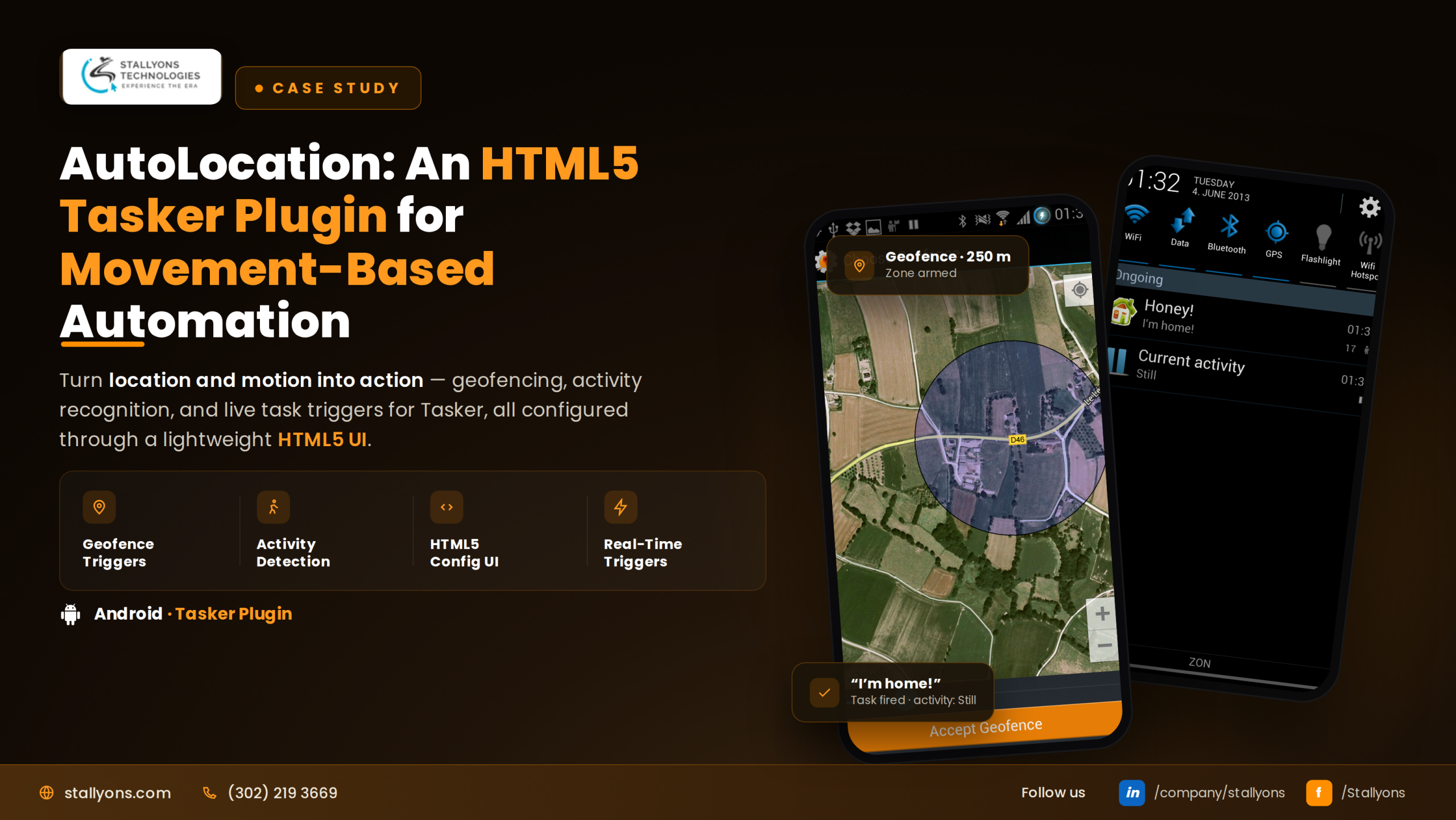
Imagine your phone reacting the moment you start walking, the second you drive away from home, or the instant you step into your office. No taps, no menus, no reminders. That is exactly what AutoLocation delivers, and it is one of the pieces of mobile app development our team is most proud of at Stallyons.
AutoLocation is a plugin for Tasker, the well-known Android automation app. It gives Tasker three new senses: what you are doing, where you are, and the exact spot you stand on the map. From those signals, a user can trigger almost any action they can imagine. In this case study, we walk through the problem, the solution we designed, and the technical approach behind it, including where HTML5 web technology fit into the build.
Project Snapshot
Before the detail, here is the quick view for readers who like to skim first.
- Product type: An Android Tasker plugin
- HTML5 layer: The in-app setup screens, including the interactive geofence map and the settings panels
- Native layer: Location and activity sensing, powered by Google’s Android location services
- Core capability: Activity detection, geofence tracking, and precise location reporting
- Monetization model: A free seven-day trial or a one-time unlock key
This mix of an HTML5 interface with a native sensing engine is a pattern we return to often, because it gives clients a flexible, easy-to-update front end without giving up the accuracy and battery efficiency of native services.
The Challenge
Tasker is loved by power users, but its built-in location tracking had real limits. Anyone trying to build serious location automations kept running into the same walls.
The first problem was accuracy. Tasker relied on basic network or GPS location, which is often imprecise and heavy on the battery. The second problem was power drain, since constant location polling wears a phone down fast. The third gap was the biggest of all: Tasker had no way to know what a user was physically doing. Walking, driving, cycling, or standing still were all invisible to it. Finally, advanced users wanted fine control, including confidence levels, exact coordinates, speed, and bearing, so they could write precise rules rather than rough guesses.
There was one firm constraint on top of all this. The tool had to extend Tasker, not replace it. That meant building a plugin that feeds clean signals into Tasker as conditions and variables, so users keep working inside the app they already know.
The Solution We Built
We answered every one of those needs with a single plugin built around three monitors. Each monitor watches a different signal and hands it back to Tasker, where the user decides what happens next.
The Activity Monitor detects what a person is doing: in a vehicle, on a bicycle, on foot, standing still, or tilting the device. The Geofence Monitor watches places, letting a user draw up to one hundred zones on a map and react the moment they enter or leave one. The Fuse Location Monitor reports the exact location, complete with accuracy, bearing, speed, altitude, and coordinates. Every monitor passes a full set of variables into Tasker, so automations can be as simple or as detailed as the user wants.
Activity Detection Beyond Location
This is what sets AutoLocation apart. Most location tools only know where you are. AutoLocation also knows what you are doing. It scores each detected activity with a confidence value from zero to one hundred, and it can ignore certain activities while others are happening, such as ignoring a phone tilt while you walk. That confidence scoring is what keeps automations from misfiring, and it turns real-world movement into a trigger that location alone could never provide.
Battery-Smart Geofencing and Location
For location, we built on Google’s geofencing and the Android Fused Location Provider, a piece of native Android sensing that blends a device’s sensors for a better fix at lower power. The location engine can run in high-accuracy mode, a battery-saving mode, or even a no-battery mode that only picks up a position when another app happens to request one. This directly solved the client’s biggest weakness, giving strong accuracy without the battery cost of older tracking methods.
The HTML5 Development Approach
Here is where the front end comes in. AutoLocation’s setup experience, meaning the interactive geofence map and the settings screens, was built with HTML5 web technology running inside the native Android host. The sensing itself stayed native, but the interface a user touches was crafted in HTML5.
We chose this route for good reasons. HTML5 let us build flexible, responsive setup screens that were quick to iterate on and simple to maintain, while the map view supported normal, satellite, and hybrid modes so users could place each geofence precisely. This blend is the heart of our HTML5 hybrid app development: a modern web-based interface layered over a reliable native core. It is a proven way to ship a polished product faster without trading away performance.
The split across the stack is the whole point. HTML5 web screens build the in-app geofence map and the settings, all of it running inside an Android Tasker plugin that trades conditions and actions with Tasker itself. Underneath, Google Activity Recognition reads walking, driving, cycling, standing still, and tilting; Google Geofencing tracks up to a hundred places; and the Android Fused Location Provider blends sensors for the best fix at any battery level. Every signal is fed back to Tasker as conditions, actions, and variables, so the user decides what each monitor triggers.
The honest catch in that design is that AutoLocation is only ever as capable as the platform beneath it. All three monitors read from Google’s Android location and activity services, so on a device without those services, or where a user denies background location, they have nothing to sense and quietly go dark. And because it is a plugin, it does nothing on its own: it is a companion to Tasker, powerful in the hands of someone who already lives in that app and invisible to everyone else.
Real-World Use Cases
Features only matter when you see what they unlock. Here are a few automations that AutoLocation makes possible.
- Start a music player automatically when walking is detected on a Saturday morning.
- Open a navigation app the moment a vehicle is detected after leaving the Home zone.
- Silence the phone when the user is standing still inside the Work geofence.
- Send a reminder note the instant someone enters the Market zone.
By combining activities, places, and Tasker’s own conditions like day and time, the possibilities are open-ended. That range is what turns a useful plugin into one that people build their whole routine around.
The Results
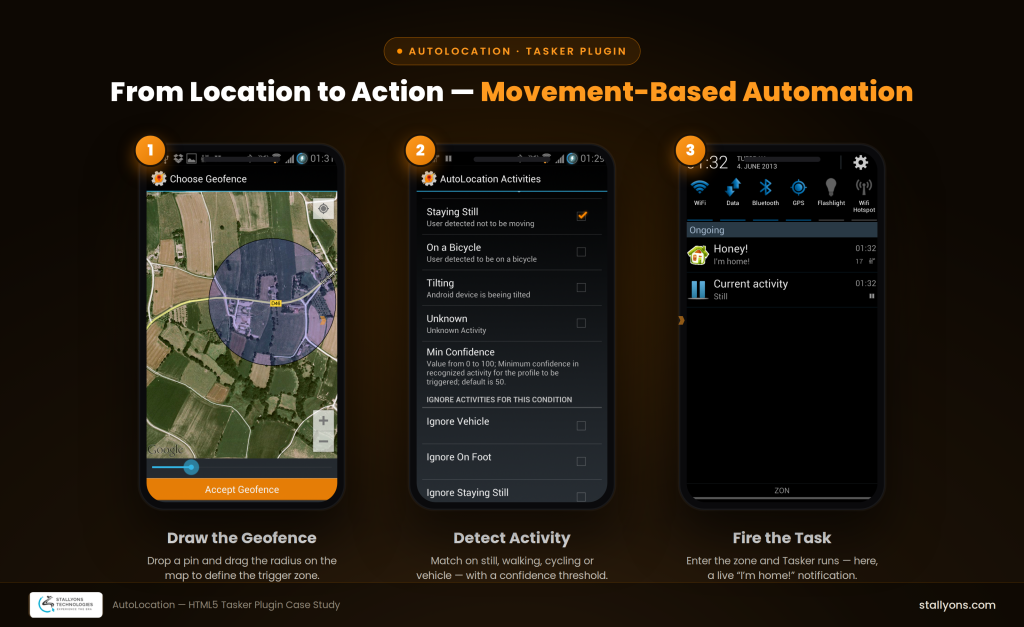
The finished product added three new senses to Android automation. AutoLocation reads a user’s activity, watches their geofences, and reports their precise location, all built on Google’s modern and battery-friendly services, with a clean HTML5 setup experience wrapped around it.
For the client, the outcome was a reliable, monetizable product with a smooth trial-to-unlock path and an interface that advanced users genuinely enjoy. For us, it is a clear example of matching the right technology to the right layer: HTML5 where flexibility and speed matter, native where accuracy and battery life matter most. It is the same instinct behind our full HTML5 hybrid build of NexaChat, a real-time translation chat app.
AutoLocation is live and in active use today. You can see the finished product for yourself on the AutoLocation listing on Google Play, where it continues to serve Tasker users around the world.
Why Work With a Dedicated HTML5 App Development Team
Projects like AutoLocation show the value of a partner who knows when HTML5 is the smart choice and when to reach for native power instead. Our team designs interfaces that are fast to build and easy to maintain, then connects them to native services so nothing is lost in performance or reliability.
If you are planning a web app, a mobile app, or a hybrid product that blends both, that same thinking can shape your build from day one.
Ready to Build Your Own HTML5 or Hybrid App?
Every great product starts with the right technical decisions. If you want a partner who can pair a modern HTML5 interface with a solid native core, let us help you plan it. Explore our HTML5 app engineering, then book a discovery call and tell us what you are building.
Frequently Asked Questions
What is HTML5 app development?
HTML5 app development is the process of building app interfaces and features using HTML5, CSS, and JavaScript. These web technologies can run inside a browser or be wrapped inside a native app, which makes them flexible for both web and mobile products.
Can HTML5 be used inside a native Android app?
Yes. As AutoLocation shows, HTML5 can power the interface and setup screens inside a native Android app, while native services handle sensitive tasks like location sensing. This hybrid approach combines the speed of web development with the reliability of native features.
Why choose HTML5 for app screens and settings?
HTML5 interfaces are quick to build, easy to update, and adapt well across different screen sizes. That makes them a strong choice for setup screens, dashboards, and settings panels where flexibility and fast iteration matter.
How does HTML5 app development reduce cost and speed up delivery?
Because HTML5 code can be reused and updated without rebuilding an entire native front end, teams ship faster and maintain the product with less effort. This often lowers the total cost of building and running an app over time.