


Blog
KeyCouture Case Study:
Migrating a Live Android Fashion App to Shopify Without Losing a Thing
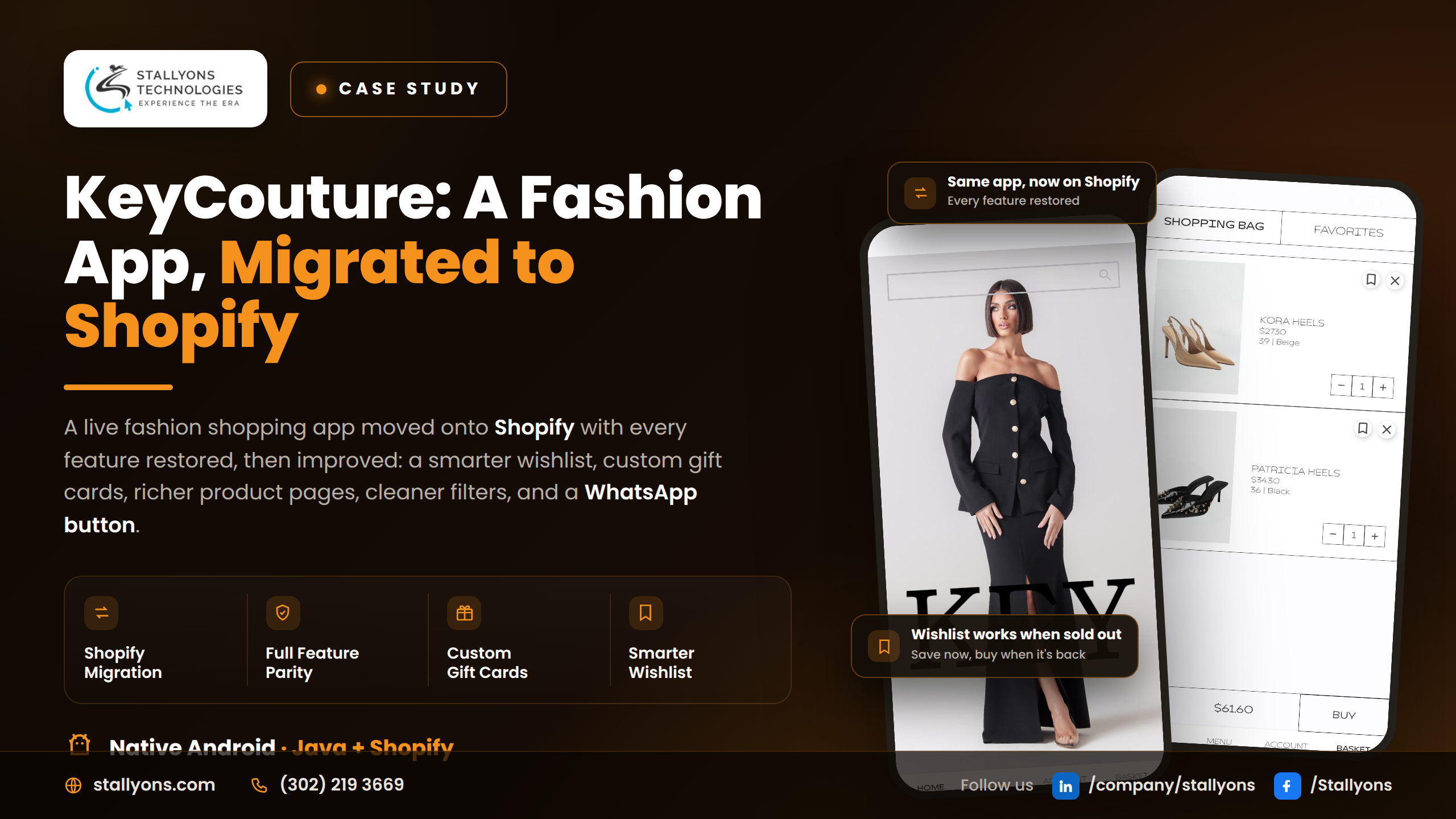
The hardest app projects usually aren’t the new ones. Building from a blank screen is freeing; you can’t break something that has no users yet. The genuinely nerve-wracking work is changing the engine of a plane while it’s in the air. That was KeyCouture: a fashion shopping app that already existed, already had customers spending real money, and now needed its entire commerce backend swapped out for Shopify, without those customers noticing anything except that the app got better.
This is the story of that migration. It’s a good look at what careful, low-risk mobile engineering actually involves, and why the order you do things in matters as much as the code you write.
In one line: KeyCouture was moved onto Shopify with every feature restored, then improved with a clearer login, a smarter wishlist, custom gift card amounts, a WhatsApp button, richer product pages, and cleaner filters.
The Starting Point: A Working App You’re Not Allowed to Break
Before any code, the constraints defined the whole project. KeyCouture wasn’t a concept; it was a native Android app written in Java, live, with a real customer base in a competitive fashion retail ecommerce market. The business had decided to run its store on Shopify, which meant the app’s data and shopping features had to be rebuilt on top of Shopify instead of the old backend.
That decision set two non-negotiable goals. First, feature parity: after the move, the app had to do everything it did before, with no lost features and no broken flows. The very first measure of success wasn’t “new and shiny”, it was “nothing the customer relied on is missing.” Second, on top of the migration, the client had a specific, agreed list of fixes and new features to make the app genuinely better than it was.
So the brief was unusually clear, and unusually unforgiving: carry a live app safely onto a new backend, then improve it, all inside the existing Java codebase.
Why the Project Split Cleanly Into Two Parts
The work divided into two phases, and keeping them separate was itself a design decision.
Phase one was the Shopify migration. Products, variants, inventory, the cart, gift cards, and checkout all had to move to Shopify. Every screen that used to read or write store data needed to be found and reconnected to the Shopify backend, so a customer opening the app wouldn’t see anything missing. The catalog, product pages, wishlist, cart, and checkout all had to behave exactly as before.
Phase two was the enhancements: a defined list of improvements layered on only once the app was fully working again on Shopify. Some were fixes that made existing parts clearer; others were brand-new features.
The reason for that strict order is safety. If you mix “move the backend” with “add new features”, and something breaks, you can’t tell which change caused it. By getting the migration solid first and proving the app worked exactly as before, every later improvement was added onto a known-good foundation. The customer experience stayed protected at every step.
The Migration Approach: Careful, Mapped, and Tested
Moving a live app to a new backend is delicate precisely because people are using it right now. Here’s how the Shopify move was handled, step by step:
- Map every place in the app that read or wrote store data on the old backend.
- Connect the app to Shopify for products, variants, inventory, and gift cards.
- Rebuild the cart and checkout flows on top of Shopify.
- Restore the wishlist, accounts, and every other feature tied to store data.
- Test every flow against Shopify to confirm the app works as it did before.
- Only then, layer the new enhancements onto the working, migrated app.
That first step, the mapping, is the unglamorous one that makes or breaks a migration. You cannot reconnect what you haven’t found. By inventorying every single data touchpoint before switching anything, nothing slipped through, and the new backend ended up hidden invisibly beneath the same familiar app.
None of that is as tidy in practice as it sounds on a slide. Shopify has its own opinions about how products, variants, inventory, and gift cards are structured, and those rarely line up one-to-one with whatever the old backend did. The mapping step is where the mismatches surface: a gift card that used to be a fixed value now has to accept a typed-in amount, a variant or stock rule has to be expressed the Shopify way, and each one has to be reconciled before cutover rather than after. Getting that reconciliation wrong on a store people are actively buying from is exactly the failure a careful, mapped approach exists to prevent.
The Enhancements in Detail
With the app working again on Shopify, the agreed upgrades went in, grouped by where they live.
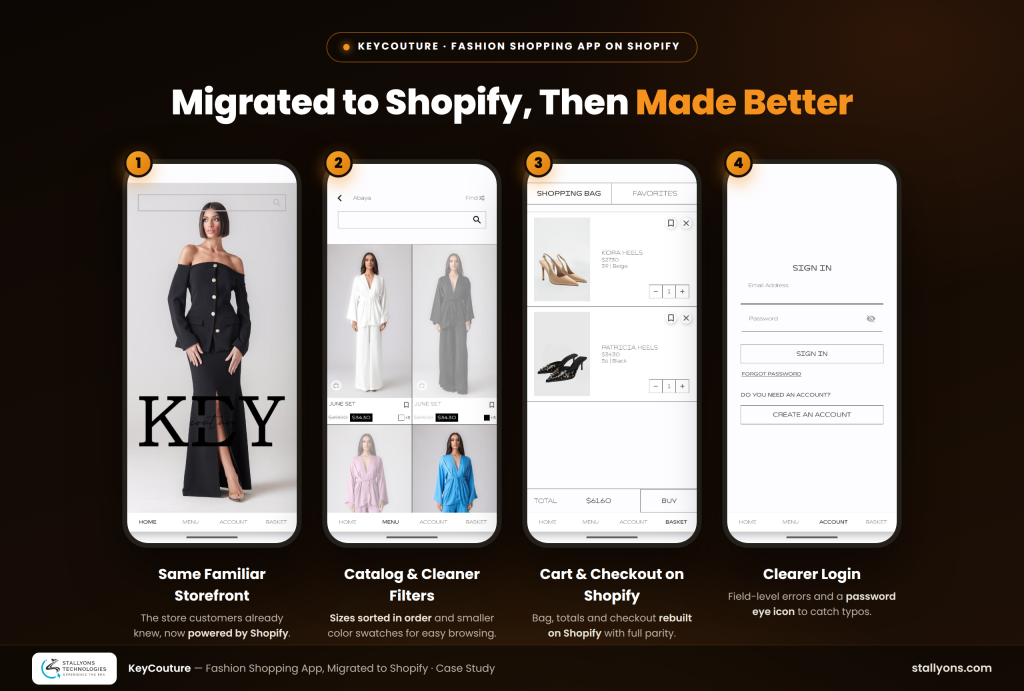
Login and account. When sign-in fails, the app now tells the user whether the email or the password is the one that’s wrong, instead of a single vague message. And a tappable eye icon on the password field lets them show or hide what they typed, so typos get caught before they cause a failed login.
Wishlist and gift cards. The wishlist was decoupled from stock, so shoppers can now save a product even when it’s sold out and come back when it returns. Gift cards, which used to offer only fixed values, now accept a custom amount the buyer types in, passed cleanly through to Shopify.
Product pages. The single product view gained a product video alongside the photo gallery, so shoppers see the item in motion, plus a size chart so they can check measurements before buying.
Filters and contact. Sizes in the filter are now sorted in order so they’re easy to scan, the color swatches were made smaller so more fit neatly on screen, and a WhatsApp button drops the shopper straight into a chat with the store.
On their own these are small changes. Together they make the app feel finished rather than merely functional, and that’s what keeps shoppers coming back.
The Technical Architecture
KeyCouture is a native Android app written in Java, and the codebase stayed the same; the big change was underneath it. The store now runs on Shopify, and the app talks to the Shopify API for products, inventory, gift cards, the cart, and checkout. Wiring a native app cleanly into that platform is specialist Shopify development work, and it helps to have Shopify developers who know the platform’s data model working alongside the mobile team. Everything else was kept steady on purpose, so the move felt invisible to the customer. Handling a live-app backend migration this cleanly, mapping every dependency, preserving parity, then extending it, is exactly the kind of careful work an experienced Android app development team is meant to do without drama. It’s the same native Android foundation in Java behind other products we’ve built, like AppyStay, a native Android social app for travelers and hostels.
The technical picture is simple to describe. The app stays a native Android build in Java; Shopify runs the store, holding products, variants, inventory, gift cards, the cart, and checkout; and the app reads the catalog and writes cart and checkout actions back through the Shopify API, so the store and the app always agree. A few subsystems did the real work. The wishlist logic was changed so saving a product no longer depends on whether it’s in stock. The gift card flow was set up to accept a custom, buyer-entered amount on top of the fixed presets and pass it cleanly through to Shopify. The product view gained a video alongside the photo gallery and a size chart for measurements. The filter handling now sorts sizes in order and draws smaller colour swatches, so more fit on screen and scanning is faster. A WhatsApp deep link rounds it out, dropping a shopper straight into a chat with the store.
The Challenges We Solved
Switching backends without breaking the app was the headline. Every feature that touched store data had to be found and reconnected, so mapping each one first and testing each flow against Shopify kept the app working as customers expected, with the new backend hidden underneath.
Letting the wishlist ignore stock meant separating saving from availability, so a product can be saved at any time and the shopper can return when it’s back.
Making gift cards flexible meant setting up the gift card product to take a custom, buyer-entered amount and pass it cleanly through Shopify.
And polishing the small things, clearer login errors, the password eye icon, the size chart, the product video, tidier filters, and the WhatsApp button, added up to an app that feels more finished and easier to trust.
The Result
KeyCouture now runs fully on Shopify. The native Android app, written in Java, reads its catalog, stock, gift cards, cart, and checkout from Shopify, and customers see the same familiar app they already knew. On top of that move, it gained a clearer login that points to the wrong field, a password eye icon, a wishlist that works for sold-out items, gift cards with custom amounts, a WhatsApp button, product videos, size charts, and cleaner filters with sorted sizes and smaller swatches.
The project did two things at once: it carried a live app safely onto a new backend with nothing lost, and it used the opportunity to make the shopping experience better. KeyCouture came out of the move not just working as before, but improved in the places that count.
Have an App to Migrate, Rescue, or Improve?
Not every project starts from zero. Sometimes the smart move is to take an app that already earns its keep and change what’s underneath it, or add the features it’s been missing, without disrupting the people already using it. If you’re weighing a backend migration (to Shopify or anything else), inheriting an app another team built, or simply leveling up an existing Android product, our Android app development services cover migrations, enhancements, and long-term maintenance, not just fresh builds. The easiest way to find out whether it’s worth doing is to talk it through, so book a discovery call and we’ll walk through your migration or rescue before anyone writes a line of code.
Frequently Asked Questions
Can you migrate an existing app to Shopify without losing features?
Yes, that’s exactly what this project was. The approach is to map every place the app reads or writes store data, reconnect each one to Shopify, rebuild cart and checkout, then test every flow for parity before anything new is added, so nothing customers rely on goes missing.
Can you add Shopify to an app you didn’t originally build?
Yes. KeyCouture already existed as a native Android app in Java, and the work was done inside that existing codebase. We regularly take over, migrate, and extend apps built by other teams.
Will my customers notice the migration?
The goal is that they only notice improvements. Because the backend swap is done carefully and tested for full feature parity first, the app stays familiar; the new engine underneath stays invisible.
Can you improve or maintain the app after the migration?
Yes. In KeyCouture’s case, the migration was followed by a full list of enhancements across login, wishlist, gift cards, product pages, and filters, and ongoing maintenance is part of what we offer.
How do you keep a live migration low-risk?
By separating the two jobs: get the migration solid and proven first, on a known-good foundation, and only then layer new features on top. That order means if anything ever looks off, you know exactly which change to check.